
You Asked for It. Meet Turbo Anatomy.

Turbo AI
The Turbo team
Explore the human body in 3D at turbo.ai/anatomy.
A lot of you asked for a way to explore human anatomy in Turbo.
So we built one.
Meet Turbo Anatomy, an interactive 3D anatomy explorer you can use right in your browser.
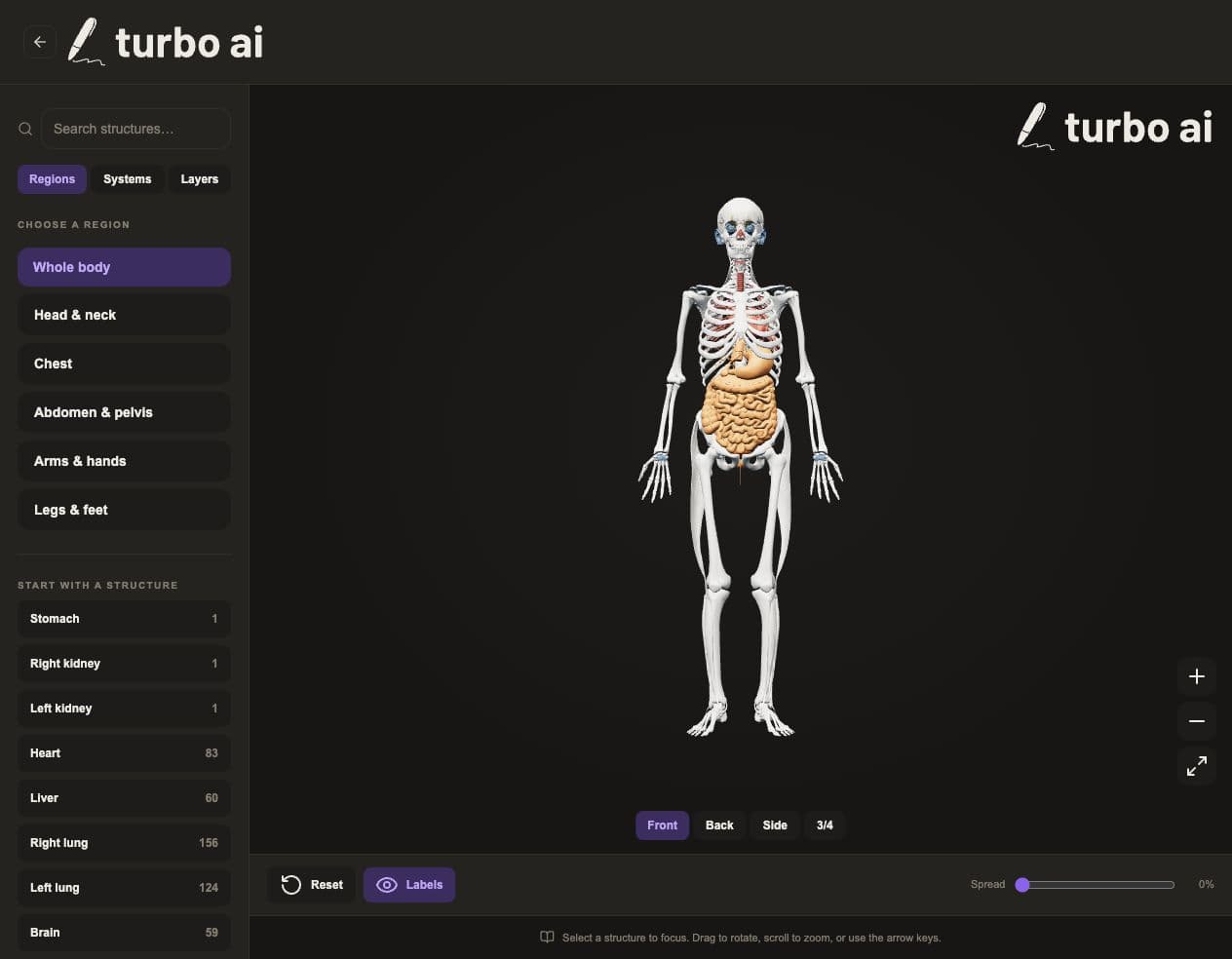
If you’re studying nursing or taking anatomy and physiology, you know there’s a difference between memorizing a structure’s name and understanding where it sits. A diagram helps, but sometimes you want to turn the body around, look underneath a layer, or zoom in on one specific structure.
Now you can.
Explore it your way
- Search for structures by name and bring them into focus.
- Explore different body regions and systems.
- Rotate and zoom to see another angle.
- Fade layers to reveal the anatomy underneath.
Keep it open alongside your notes, pull it up while reviewing a lecture, or explore something you’ve been struggling to picture.
This is the first version, and we’d love to hear what would make it more useful for your classes. Keep the requests coming.
The current explorer uses an adult male reference model. It’s an educational reference, not a tool for clinical decisions.