
Best StudyFetch Alternatives

Ishan Chawla
Student, Northwestern University

Since you're searching for StudyFetch alternatives, you probably already know why. StudyFetch promises everything: notes, flashcards, an AI tutor, practice tests, study games, leaderboards, avatars. And to be fair, some of it is useful. But if you've spent real time on the platform, you've probably also hit the other side of it: features that load slowly or not at all, menus that link to pages that don't link back, and study games asking you irrelevant questions.
I know this because I wrote a comparison article, Turbo AI vs. StudyFetch, with real coursework: a 193-page Supreme Court ruling, econometrics slides, lecture recordings. And I wasn't alone in my conclusions. StudyFetch's own reviews emphasize its buggy and cluttered platform.
Quick disclosure before we start, which is the same as always: I work at Turbo AI, so I'm obviously not neutral. That's exactly why everything below is based on hands-on testing you can check for yourself, and why the full head-to-head (with every screenshot) is linked above.
Let's dive in.
1. Turbo AI — Best Overall StudyFetch Alternative
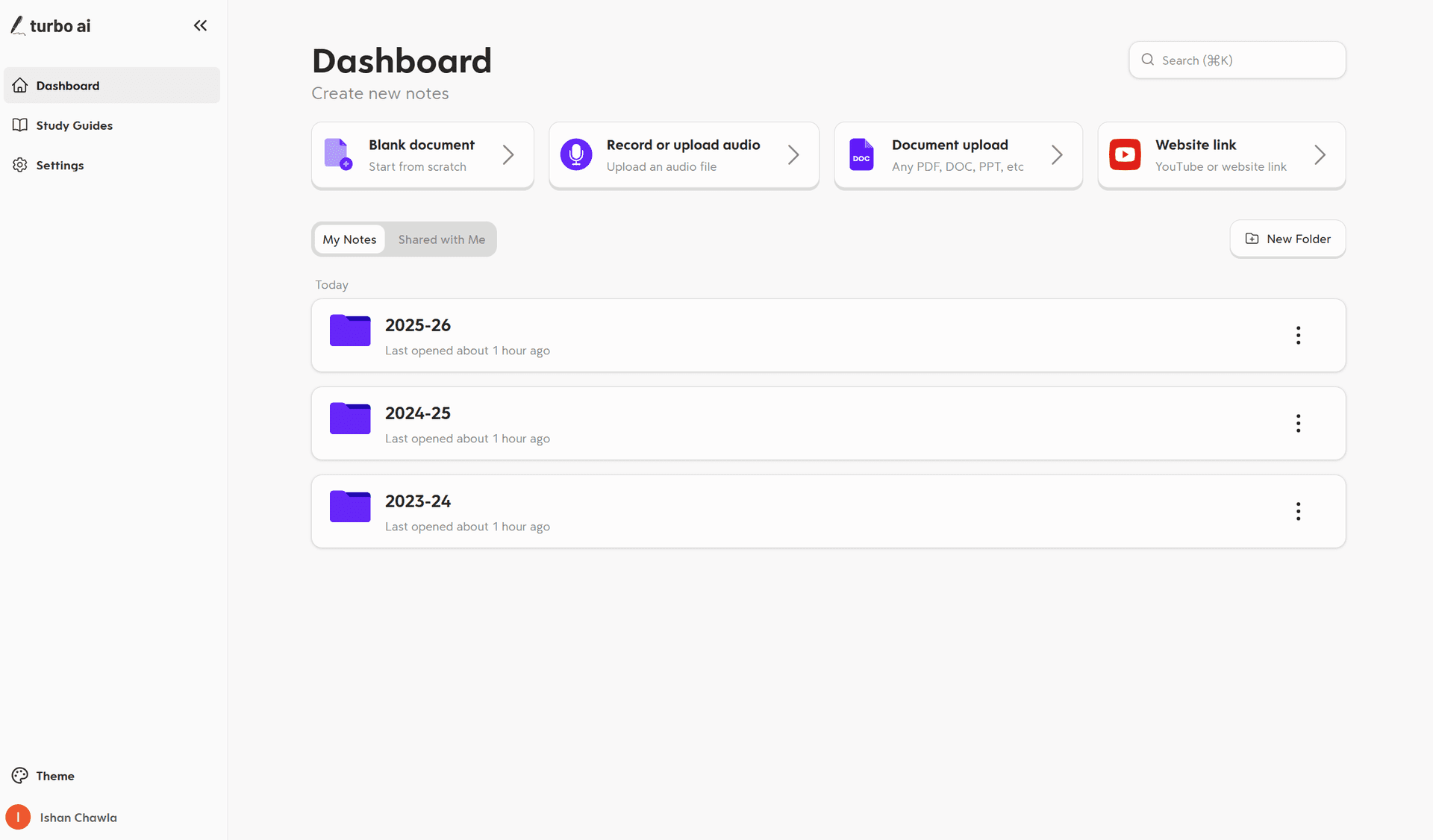
Turbo tops this list because it fixes the two things StudyFetch users complain about most: reliability and clutter.
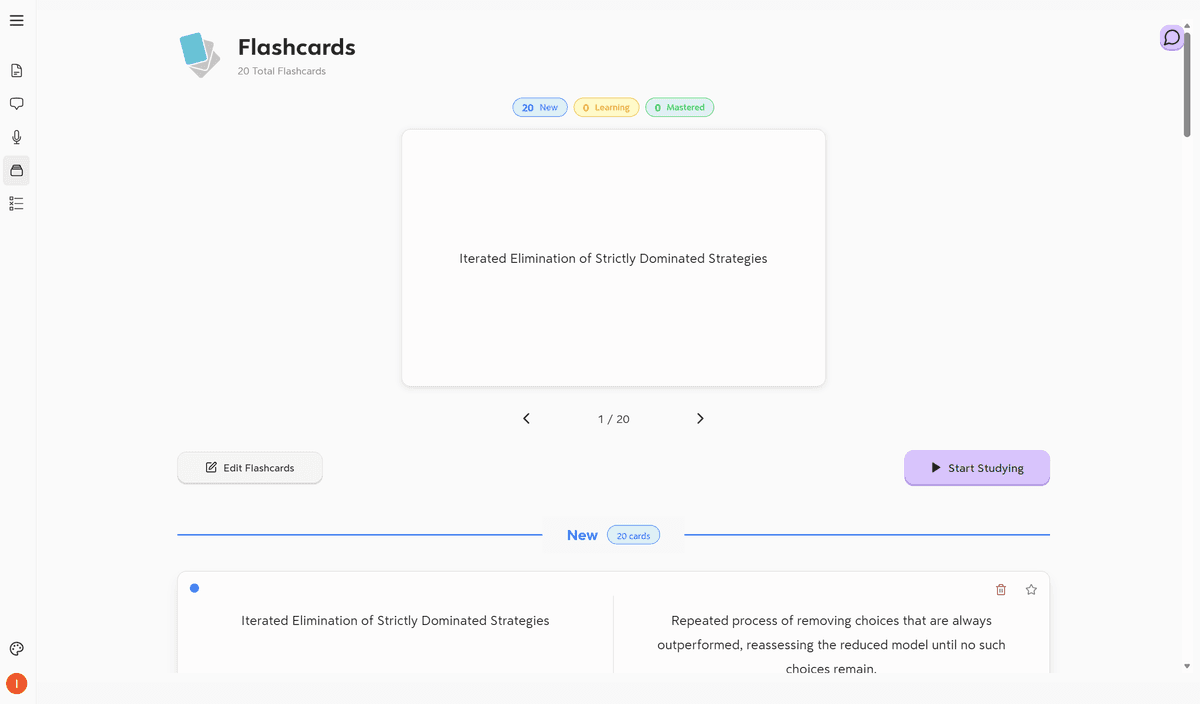
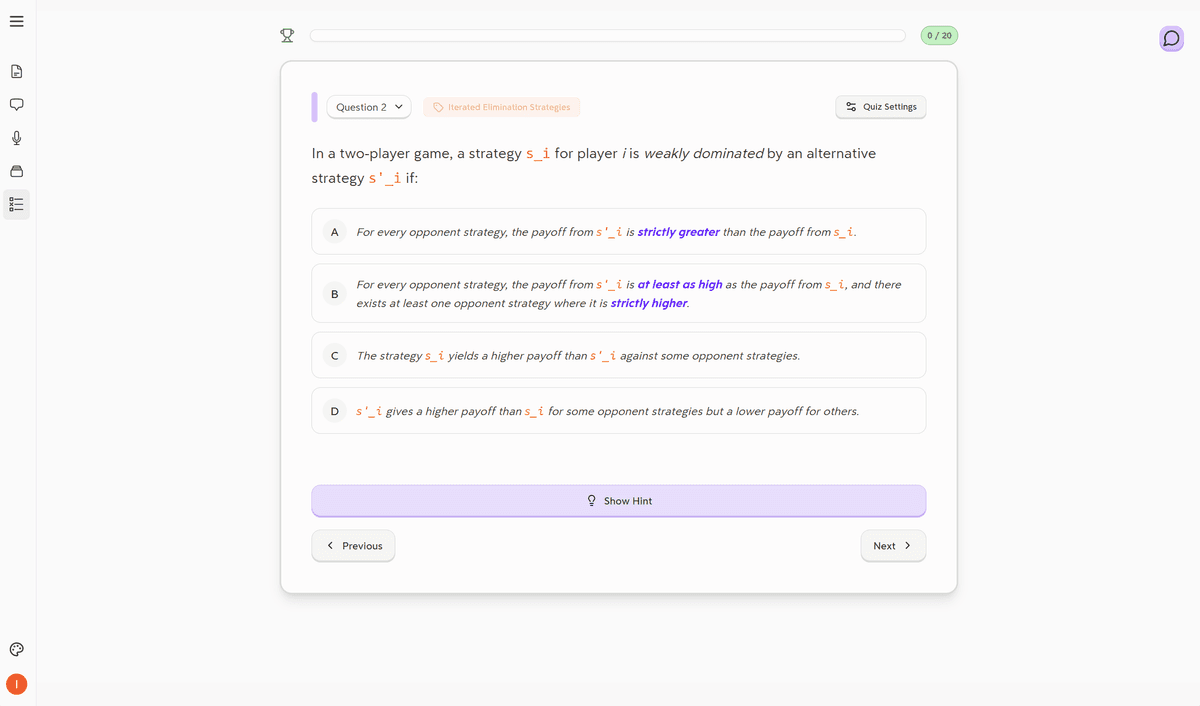
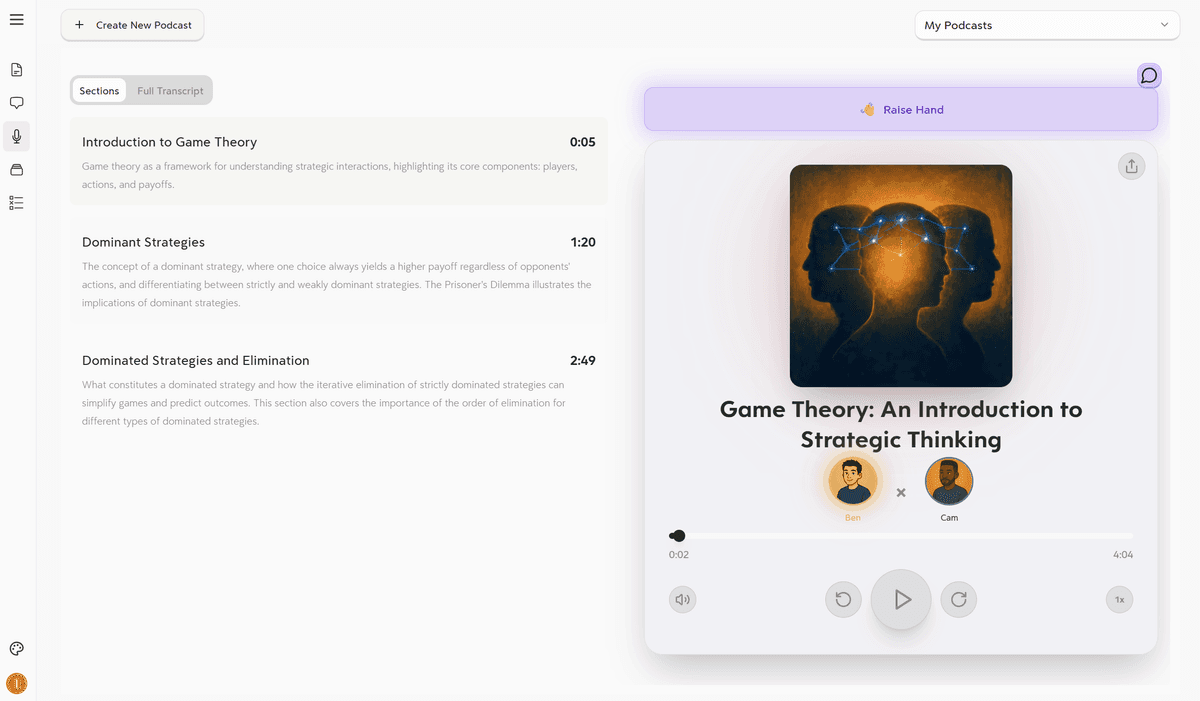
The workflow is simple on purpose. You upload a lecture recording, a PDF, lecture slides, or a YouTube video, and Turbo automatically generates clean, organized notes. Uploading a PDF took me 2 clicks on Turbo; the same upload took 6 clicks and 4 dropdowns on StudyFetch. From your notes, everything else is one tap away: flashcards, multiple-choice quizzes, a chatbot that answers in the context of your material, and a podcast version you can listen to on the go.
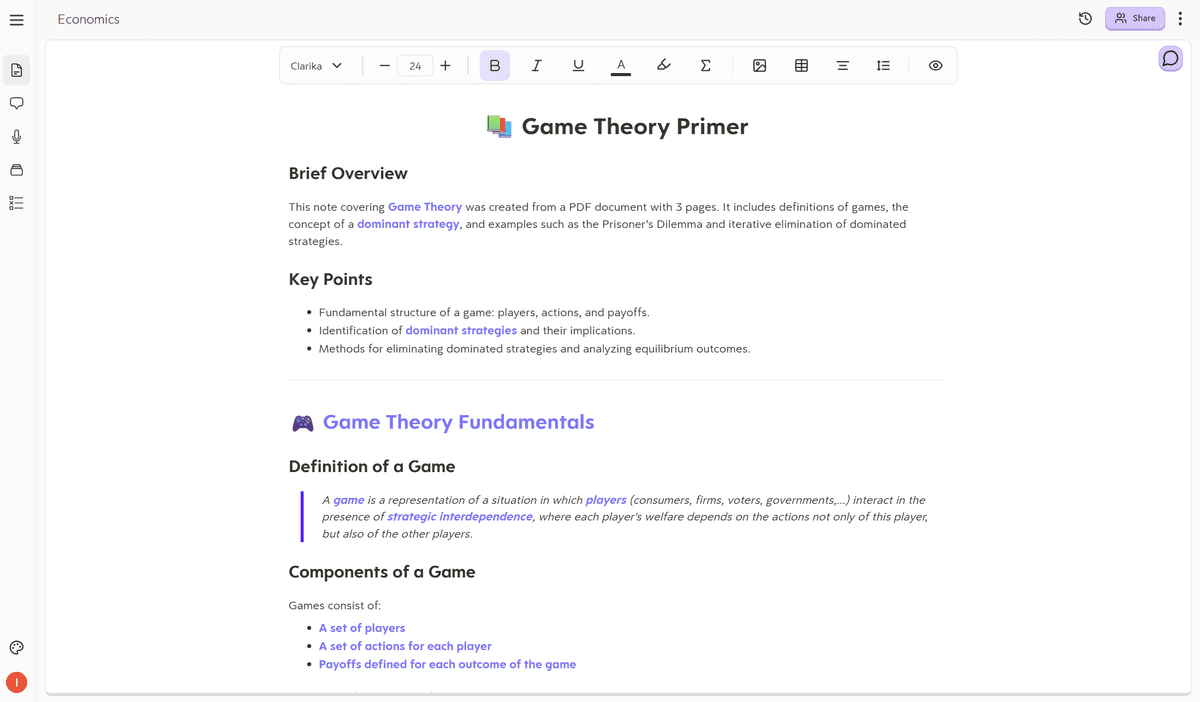
Notes
Flashcards
Quiz
Podcast
Turbo holds up on hard material; it correctly broke down NFIB v. Sebelius (a brutal 193-page Supreme Court ruling) into the Commerce Clause and Taxing Power arguments with precedent callouts, while StudyFetch labeled every section "Opinion of John Roberts," even when quoting other justices, and skipped the Medicaid coercion section entirely. On econometrics slides, Turbo recognized and explained the formulas; StudyFetch missed the equations in the entire second half of the deck.
The reliability difference matters just as much. Turbo synced my mobile lecture notes to desktop instantly. StudyFetch showed me "No enhanced notes available. Click 'enhance notes' to create them" with no enhance notes button anywhere on the screen.
Pricing: $20/month billed monthly, or $10/month billed annually ($120/year, roughly the cost of one textbook).
Best for: Students who want the core StudyFetch promise (upload anything, get notes, flashcards, quizzes, and a tutor) delivered without the bugs and the maze of menus.
2. Quizlet — Best If You Mainly Used StudyFetch for Flashcards
Quizlet is the oldest tool on this list, and it's still good at what it does: flashcards, matching games, and practice tests. If StudyFetch's flashcards were your main feature, Quizlet is the polished, reliable version of that experience, and its gamified modes are genuinely fun.
The catch: Quizlet doesn't make the material for you. You either build flashcard sets manually or rely on other students' sets, which may not match your class. Coming from StudyFetch, this is a real step backward in workflow automation.
Best for: Students who already have their notes handled and just want a dependable flashcard experience.
3. NotebookLM — Best Free Option for Document-Heavy Classes
NotebookLM lets you upload sources and chat with them, and its Audio Overview feature turns your documents into a podcast-style conversation. If you used StudyFetch mostly to ask questions about readings, this covers that use case for free.
The limitation is that NotebookLM is a research tool, not a study system. There are no flashcards, no quizzes, and no spaced repetition, so you'll still need another app to actually test yourself.
Best for: Research-heavy courses where you're sorting through PDFs and academic literature.
4. Knowt — Best Free All-Rounder
Knowt positions itself as a free Quizlet alternative and adds AI note and flashcard generation from lectures and videos, which makes it the closest free approximation of the StudyFetch feature set. The free tier is also quite generous.
In my experience the generated content is more hit-or-miss than the tools ranked above it, and the interface throws a lot at you at once which, if you're leaving StudyFetch because of visual clutter, is worth knowing before you commit.
Best for: Students who want AI-generated study materials without paying anything.
5. ChatGPT — Best If You Mainly Used the AI Tutor
ChatGPT can explain any concept at any level, quiz you on demand, and simplify dense readings. If StudyFetch's "Spark" tutor was your favorite feature, ChatGPT is a more capable version of that conversation.
But it's a blank text box. You decide what to ask, you paste in your material every time, and you structure your own study sessions. There's no persistent notebook, no auto-generated flashcards waiting for you, no system. I wrote a full Turbo vs. ChatGPT comparison if you want the long version, but the short version is: great assistant, not a study platform.
Best for: On-demand explanations when you're stuck, alongside whatever you pick for actual studying.
Which One Should You Pick?
It depends on why you're leaving.
- Leaving because of bugs and glitches? You want reliability across the full workflow: Turbo.
- Leaving because of the cluttered interface? You want fewer, better features: Turbo or NotebookLM.
- Leaving because of the price? Knowt free tier first, NotebookLM for readings.
- Just want better flashcards? Quizlet.
- Loved the tutor, nothing else? ChatGPT, paired with one of the above.
And one last time, because it's the honest answer: if the study calendar is the thing keeping you on StudyFetch and it works for you, keep it. Tools should earn their place.
The Bottom Line
Most StudyFetch complaints come down to the same root cause: the platform tries to do everything, and the individual pieces suffer for it. The best alternative is the one where the features you'll actually use during a hard week work.
That's why Turbo tops this list. Upload your lectures, readings, and videos; get clean notes, flashcards, quizzes, and a podcast, every time, without fighting the interface. The best study tool is the one that fades into the background, and after a semester of testing, that's the difference in one sentence.
Ishan Chawla
Student, Northwestern University